
Open Links in Safari from Chrome
Overview
The Open in Safari extension is designed to streamline the browsing experience for users who frequently switch between Chrome and Safari. It enables seamless link transfer from Chrome to Safari with a single click, eliminating the need for manual copy-paste workflows. This tool is particularly useful for professionals and power users who rely on multiple browsers for work, testing, or personal use.
By automating the process of opening links in Safari, it reduces friction in cross-browser workflows and enhances productivity. The extension operates through a lightweight browser add-on paired with a minimal native client, which handles the actual browser launch. The developer has not provided additional background details beyond the project’s functionality.
Real-world use cases include developers testing web content across browsers, content creators managing multiple platforms, and individuals who prefer Safari for specific tasks like reading or media consumption. The tool is especially relevant for Mac users, though it also supports Windows and Linux systems. Its core purpose is to bridge the gap between Chrome and Safari, offering a simple yet effective solution for efficient link sharing.
Key Features & Capabilities
- One-click link transfer – Open any selected link or tab directly in Safari with a single action from Chrome’s context menu.
- Smart browser detection – Automatically checks if Safari is running; opens the link in a new tab if Safari is active, or launches a new Safari window if not.
- Export all tabs – Right-click the extension icon to export all open Chrome tabs to Safari, ideal for consolidating browsing sessions.
- Custom application name (Mac only) – Users on Mac OS can define a custom name for the Safari application in the extension’s options page, offering flexibility in system integration.
- Source tab closure option – A configurable setting allows users to close the original Chrome tab after successfully transferring it to Safari (disabled by default).
These features are especially beneficial in workflows where users maintain multiple browser instances for different purposes. For example, a developer might use Chrome for debugging and Safari for final cross-browser validation. The ability to export all tabs streamlines session management, reducing time spent on repetitive tasks.
The native client ensures reliable communication between Chrome and Safari, though the exact technical implementation details were not specified. The extension supports Windows, Mac, and Linux, making it accessible across major desktop platforms. The inclusion of video tutorials in the documentation helps users understand the setup process, particularly for the native client installation, which is required for full functionality.
User Interface, Workflow & Performance
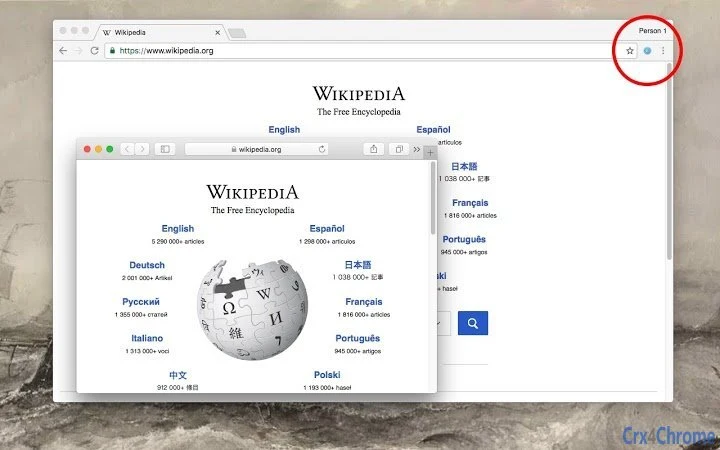
The extension integrates seamlessly into Chrome’s browser interface, appearing as a toolbar icon that users can interact with via right-click context menus. The UI is minimal and unobtrusive, focusing on functionality without clutter. Navigation is straightforward: users select a link, right-click, and choose the “Open in Safari” option.
The workflow is intuitive and requires no prior setup for basic use. When a link is opened, the extension prompts the user to install or update the native client if not already present, ensuring compatibility with Safari. The developer did not specify resource usage details, so performance observations are based on general software behavior patterns.
Stability is expected to be high, given the lightweight nature of the extension and its reliance on a minimal native component. CPU and RAM behavior were not disclosed, but typical usage should not impose significant system load. The extension operates in the background without interfering with other browser activities.
No known conflicts or crashes were reported in the provided documentation.
Compatibility & System Requirements
The Open in Safari extension is compatible with Windows, Mac, and Linux operating systems. It is designed to work with Chrome and requires a native client to enable communication with Safari. The installation size is 2.4 MB, which is typical for browser extensions of this type.
The developer did not specify exact system requirements, such as minimum RAM, CPU, or disk space. Compatibility information was partially provided, with support confirmed for Chrome on all three platforms. The native client must be installed separately, and instructions are displayed when needed.
The extension supports Mac OS, Windows, and Linux, though specific versions of these systems were not listed. Users are directed to video tutorials for guidance on installing the native client on different platforms. No additional software dependencies were mentioned, but the native client may require elevated permissions to launch Safari.
The extension does not support other browsers beyond Chrome.
Pros and Cons
Pros
- Effortlessly transfer links from Chrome to Safari with a single click.
- Supports all major desktop operating systems: Windows, Mac, and Linux.
- Includes a feature to export all Chrome tabs to Safari for session consolidation.
- Offers customization options, including a custom app name on Mac OS.
- Free to use with no hidden costs or subscription models.
Cons
- Requires installation of a native client, which may deter users unfamiliar with the process.
- Does not support other browsers beyond Chrome.
- Exact performance and resource usage details were not provided.
- Customization options are limited to Mac OS only.
- No automatic update mechanism mentioned for the native client component.
FAQ Section
Is the Open in Safari extension free to use?
Yes, the extension is completely free and does not require a subscription or payment to access its core features.
What operating systems does the extension support?
The extension supports Windows, Mac, and Linux operating systems. It is designed to work with Chrome on all three platforms.
Do I need to install a native client to use the extension?
Yes, a minimal native client is required to enable communication between Chrome and Safari. The installation prompt appears automatically when a link is opened.
Can I use this extension on browsers other than Chrome?
No, the extension is specifically built for Chrome and does not support other browsers such as Firefox or Edge.
Is my data secure when using this extension?
The extension does not collect or transmit user data. It operates locally and only facilitates link transfer between browsers. The native client runs with standard system permissions and does not access sensitive user information.
Final Thoughts + CTA
The Open in Safari extension delivers a focused and effective solution for users who frequently switch between Chrome and Safari. Its ability to transfer links or entire browsing sessions with minimal effort significantly enhances workflow efficiency. The inclusion of advanced features like tab export and Mac-specific customization adds value for power users.
While the need for a native client may pose a minor barrier for some, the clear instructions and video tutorials help ease the setup process. The extension is lightweight, free, and compatible across Windows, Mac, and Linux. It is ideal for developers, content creators, and anyone who values seamless cross-browser functionality.
For users managing multiple browsers, this tool offers a practical advantage without unnecessary complexity. Download Open in Safari now.







